
Showing posts with label freebie. Show all posts
Showing posts with label freebie. Show all posts
Sunday, January 27, 2013
Tomboy Scrapbook Set Freebie!
How lucky can I get? When I decided to start working on my Tomboy Scrapbooking set, I went online in search of a cute skull. For the most part, the best art out there is copyrighted (and I don't want to steal), so I took a chance and asked an artist if I could use his work. Daeo gave me permission to use his artwork for free on the condition that I give him credit and share the links to my work with him. Sounds like a pretty awesome deal for me. You have to go over to deviantart and check out his gallery. Here's the link. He also has his own website, www.daeoart.com.
This is my take on a tomboy. Obviously they aren't all the same. My tomboy likes things like skulls, stars, skateboarding, 8 balls, and music. She also loves Star Wars, the Incredible Hulk and Angry Birds (those 3 didn't make the set.) So you understand that while I couldn't cover every interest Tomboys have, I hope I've been able to give you a fun but not too girlie scrapbooking set for those special daughters who aren't girlie girls.
 This set includes 20 papers, 8 brads, stickers, frames, photo corners, shoelaces and word art. Enjoy! Can't wait to see your layouts with the set.
You can download the elements here.
You can download paper set 1 here.
You can download paper set 2 here.
For all downloads, please use the password, sodigitallyme.

Monday, January 21, 2013
Christmas Giggles Freebie! Huge set!
I am so proud of myself! I have been working hard for the last month to catch up on my scrapbooking. The girls' digital pages are current up to Christmas of 2012. I was bored with the Christmas elements I had in my stash, so I thought, why not make a Christmas set? This set is what I call Christmas Giggles. The color scheme isn't necessarily what you expect for Christmas, but that's what's going to make your pages really pop!
This set includes 16 papers,5 tile alphas, scalloped edges for layering, mats, frames, buttons, brads and my very first folded paper edge. Like I said, HUGE! I hope you like it!
 Please click here to download Christmas Giggles Elements.
Please click here to download Christmas Giggles Papers 1.
Please click here to download Christmas Giggles Papers 2.
Use the password sodigitallyme for all downloads.
Here are two of my layouts using the set:

 Would you like to show off your layouts created with my freebies? I'd love to see your work. I am looking for a Creative Team. Please leave a comment with your contact information (I won't post the comment).


Friday, January 18, 2013
Valentines Freebie!
Hello! I am actually ahead of the game on this one! Valentines is just about a month away and I'm putting this out early so you can be sure to use it on this year's layouts. I made 6 papers, 1 torn paper, 2 clips, 1 tag and a fun wordart. I hope you like it:
 You may download the set here. Please use the password, sodigitallyme .

Sunday, January 13, 2013
Cute Cats Embellishments Freebie
I am so excited that so many people are enjoying my Cute Cats set. I do enjoy sharing something useful! I have been asked to split up the brad set, it never occurred to me that some programs won't allow you to crop the file. Oh well, now I know for the next time. Anyway, rather than just give you the split brad files, I think I'll give you a few more embellishments to go with the set.
This set includes:
9 brads
5 buttons
1 circle border (thanks to Courtney's Digiscrappin)
4 tags
3 wordart
2 ribbons
 You can download the embellishments here. Password: sodigitallyme

Friday, January 11, 2013
Cute Cats Alpha Freebie
Well, I had so much fun with the Cute Cats set that I decided to add on a couple of cute alphas. I used the amazing fonts Fontdinerdotcom, Fontdinerdotcom Sparkly and Fontdinerdotcom Loungy. All 3 are available for free from sites like daFont.com There are 2 complete sets, each has upper and lower case letters, numbers 0-9, punctuation and brackets.
 You can download them here. If 4shared asks for a password, use sodigitallyme.
Please note, I mistyped the password on the Cute Cats Freebie original blog entry. I have tried out the sodigitallyme password on 4shared and it is working - I have also had multiple people tell me the download worked for them. Please try to download the kit again!
 My Sammi & the boys Jack (the giant tabby) and Bloo (the sweet gray baby.)


Thursday, January 10, 2013
Cute Cats Freebie
I am working hard to get my scrapbooks back up to date. That means about 2 years worth of back scrapbooking. I know, I'm ahead of the game in the long run, but it's still something I pride myself on being pretty current with. But as I work, I am noticing a huge lack in free digital scrapbooking elements for certain topics:
1. Sisters (like tween age, not babies or toddlers)
2. Tomboys (this further complicates the sister issue, but it shouldn't be so hard to find elements on things like skateboarding!)
3. Martial arts (specifially Tae Kwon Do for my family - again, its for a girl so extra hard to find)
4. Tires (yeah, it's weird but my sister's husband is a tire salesman and she made a request)
5. Embroidered patches (not affiliated with any organization, just personality stuff)
6. Cats (yes, there is stuff out there but it isn't the type I'm looking for.)
So, the first project I completed with the intent of sharing is this:
 Please click here to download the 4 papers and 9 brad set.
Cute cats was inspired by the free vector pattern that I used to create the main paper. I love them. They are so sweet without being dorky and the color scheme is awesome! I don't know, I might even make some add ons for this set, maybe a funky alpha? What would you use? As a matter of fact, what are you having trouble finding online? I'll be glad to help. I give my stuff away for free because I don't like to pay for it any more than the next person.
If the download link asks for a password, use sodigitallyme.

Wednesday, August 1, 2012
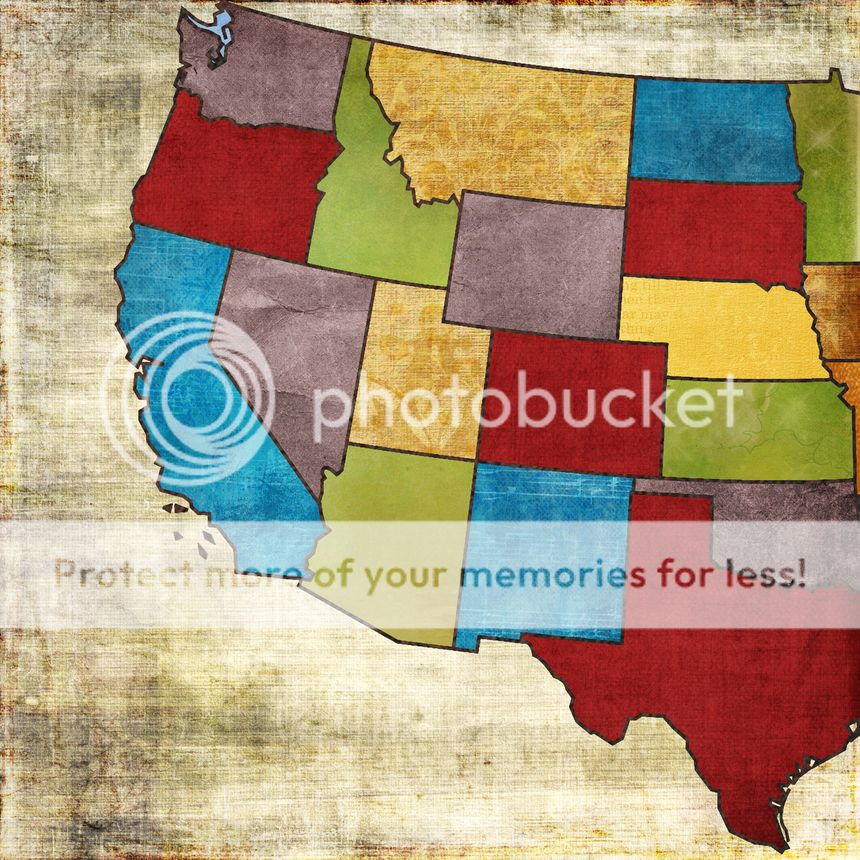
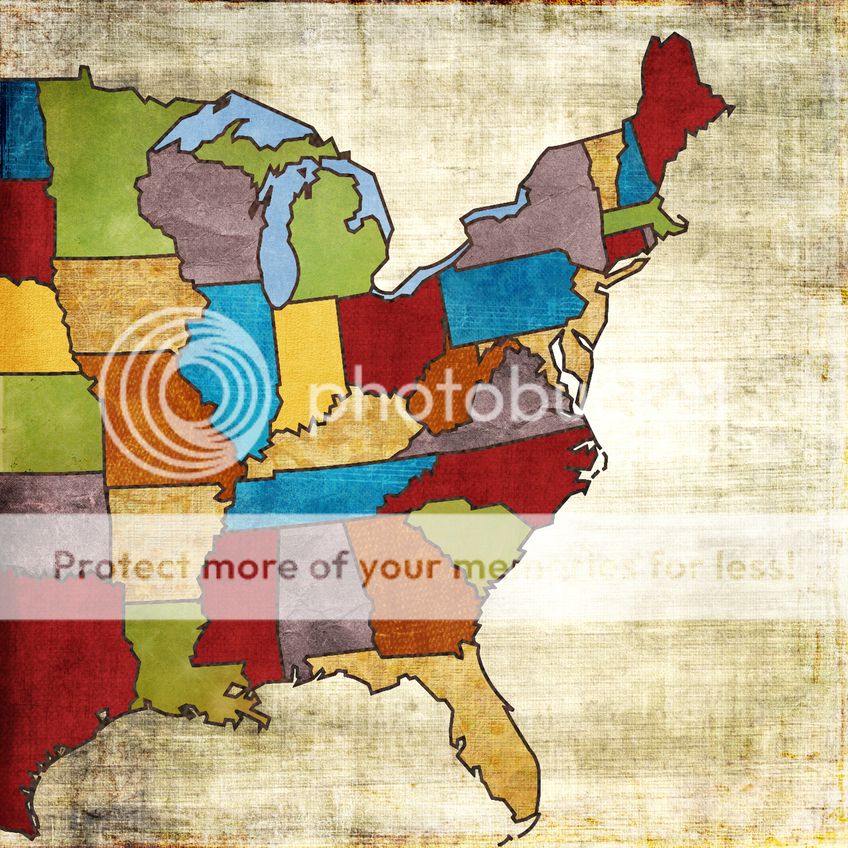
Map Papers
I am working on a special project right now and was disappointed in the available free map papers for digital scrappers. So, I made myself a cute set of papers and decided to share them with you. Here they are:

 Just click on the previews to download the full sized papers from photobucket.
You will notice the center line has repeated states, when I made my 2-page layout, I used torn edges to break the paper where I needed it -- for my project, I needed most of Nebraska intact. This project of mine is a secret so I can't show you my layouts just yet, but I'll post them eventually. Happy Scrapping!
Monday, February 6, 2012
Girl Scouts Scrapbooking Sets are still free!!
PLEASE NOTE: ALL DOWNLOADS FROM THIS BLOG WILL WORK WITH THE PASSWORD sodigitallyme.
I am so sorry for any confusion with my Girl Scouts themed scrapbooking sets. For some reason the download links are asking for passwords. Please try the following links:
Girl Scout Embellishments
Girl Scout Papers
Vintage Girl Scouts Papers
Vintage Girl Scouts Embellishments 1
Vintage Girl Scouts Embellishments 2
Vintage Girl Scouts Add-On
If these do not work, please do not hesitate to contact me!!!
Friday, November 4, 2011
Sneak Peak of a new set! Vintage Girl Scout Add-On FREEBIE
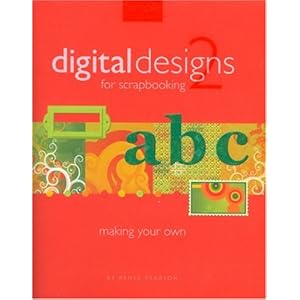
I am working very hard on a new set of Girl Scout Scrapbooking elements, alphas and papers. I'm really excited because I'm teaching myself all kinds of new stuff and I'm really impressed with how good the elements are looking. I don't mean to sound conceited, it's just that up unto this point, I've thought items (slowly and painfully) extracted from photographs look better than items created in a photo editor like Photoshop. I don't use Photoshop and there is very little literature on the software I use, but using a great book about creating your own scrapbooking elements in Photoshop, I've been able to figure out how to do most of the effects in my program. You may want to look into the book yourself:
 It's by Renee Pearson.
This Vintage Girl Scout Add-On includes 7 papers, 4 Girl Scout Poem Cards (Daisy, Brownie, Junior & Cadette) and 1 piece of Girl Scout ephemera. It is for PERSONAL USE ONLY.
 To download Vintage Girl Scout Add-on, please click here.
Hopefully the big set will be out within the month, keep an eye out for it! Use the password: sodigitallyme

Sunday, June 19, 2011
A neat idea, link to tutorial & FREEBIE!!
First, I have to apologize for neglecting to post anything recently. I'm not going to make excuses about how busy I am since I'm sure every other person out there has their own version of a busy life too. Needless to say, I haven't been struck by the inspirational bug in awhile.
Anyway, I am working on getting my books current for my trip home to see my family this summer. I am current on my digital work and Scrapbooksplease has a free shipping sale starting tomorrow!! I am working on a few more traditional layouts before I'll consider myself done. Right now I have some adorable pictures of my 4 year old and her friends. I decided on using butterfly themed embellishments, I'm not sure why, but I have a nice variety. Some of it are pieces of a belt that broke (some tooled leather butterflies and some metal butterflies), butterfly iron-on patches and shrinky-dink butterflies I learned to make at Girl Scout camp. Did you know you can recycle #6 plastic to make shrinky-dinks?? It's so awesome -- I never actually made shrinky-dinks before camp last weekend so chances are even the store bought ones would amaze me. So to get back on track, I needed a way to tie the butterflies to the friends on the page. I came up with this quote:
"Friends are like butterflies: each one is different, each one is special, each one is beautiful." Now, how to get it onto my page in a neat and interesting way??
Wouldn't it be cool to make my own rub-ons? Thank goodness for Google and Bing, I was able to find a tutorial on how to do just that! Check out the tutorial here. And here is my wordart freebie for this quote.

You can download the freebie here. I actually included 7 different versions of this quote, with printing them to make my own rub-ons in mind. You could certainly use them on digital layouts and cards as well. Please enjoy them, and note that if I used another designer's piece as a stepping stone, I tried to include their name in the name of the design -- sorry if I didn't get you, not all my stuff has names on it.
Monday, November 15, 2010
First a question, then another freebie.
Where or where has deco-pages gone? Does anyone else out there use deco-pages.com? I post in the gallery there and I can't connect to their site. I am starting to get paranoid and I hope their server will be back online soon. Any news anyone??
Now for the freebie! I don't know where all this creativity is coming from, but I have a theory! My husband recently asked me to stop playing all Facebook games. I played Farmville for a long time, then I quit last summer. Then I started playing Fashion World and one like civilization. But I quit back in September or October. Since then I've had a lot of extra time for stuff around the house, my traditional scrapbooking, my digital scrapbooking and of course creating freebies. I found the grayscale templates for these flowers on the microsoft clip gallery quite awhile ago and I have had them on my desktop staring at me for ages. So last night I decided to do something with them. There are 11 flowers and 4 stems in the set. I added the shadow for the preview but not to the png files. I also left the grayscale originals in the folder for you if you needed to make a flower or two in a specific color. Just add a layer over the flower of your choice and adjust it, most of these are set to Multiply or Screen, but on some I used Dodge or Color in my photo editor. I don't use Photoshop so I'm not 100% sure of the lingo to explain it to the rest of the world. Here is the result!

You can download the flowers here.
Remember, leaving me some love is free!
Sunday, November 14, 2010
Little Stamp Ornaments Freebie tonight.
I'm just on a freebie roll! I was working away on my traditional book today when INSPIRATION hit me. I am working on last year's Christmas layout. I decided to make a free form Christmas tree out of a green yarn stitched onto the page. Then I wanted some sort of ornaments. I was looking around at my collection of odds and ends and I came upon some old Christmas postage stamps. Now what to frame them out with?? I found some little tiny paper stars that I'd picked up on eBay for a 4th of July page. I used some ModPodge (best stuff ever!) to decoupage the stamps onto some white cardstock and then the white and red stars onto them as frames. The only drawback was that I had a hard time framing out the best parts of the stamps with the star's shape, like on the stamps with Mary and baby Jesus, it's hard to get both into the center of the star. They dried very quickly, so I cut them out and to dress them up I wrapped a little bit of decorative wire around them. I also used the wire to "hang" them from the tree on the paper. I wish the layout was complete, I can't share it with you until it is!
In celebration of this wonderful idea, I've created basically the same thing for you, except that I warped the stars a little when I wanted to get a little more of the picture into the frame, and I made them with glitter. Oh, and just because I love you all so much, I made 4 Love stamp ornaments. These are made with scans of actual stamps, some are American and some are foreign.

To download the ornaments, please click here.
Saturday, November 13, 2010
How to display postcards in a scrapbook album & Cluster Frame Freebie!
I have been working away on my scrapbooks trying to get caught up. Christmas is coming and I try very hard to have the books ready to take home to show to my family back in Nebraska. I had a lot of fun with the vacation album from our family trip to the Black Hills this summer. I bought an 8x8 album and printed wallet sized photos for the pages. Then my main souvenirs were postcards. I agonized about how to put the postcards into the album without using page after page in the book. One day at the dollar store I found acid free clear document envelopes. They were perfect! I was able to put the postcards into the envelopes, sometimes without any trimming, sometimes with just a tiny bit, then I was able to "stack" them.

In each envelope I put 1 postcard, or if I had a lot of them, as I did at Mount Rushmore, I put 2 in (be sure the back one will be upright when you flip it up), then I cut a piece of coordinating cardstock to go above the postcard(s) in the envelope. I used the cardstock because I didn't want to put the brads through the envelopes without something to strengthen the "hinge" joint. I didn't use it as a titling option, but this would definitely be a good place for it! Then to make sure the postcards were placed straight onto the album pages, I measured and punched holes on the cardstock background paper - and if it wasn't very strong, I backed it with a stronger cardstock just in case - that way they postcards wouldn't be hanging on the page protectors. Here is what my finished pages looked like:

I had a lot of fun with it, I hid journalling and souvenirs under the postcards and on my favorite layout about the scenic drives in the hills, I put a picture of my girls sleeping in the back seat of the truck, their mouths wide open in exhaustion. It's a fun surprise and too funny to let them forget. I did learn 1 lesson though. When on vacation, journal every day on your postcards so you don't have to do that part when you put your books together! I didn't do it this time, but believe me, I will next time!
So anyway, that took care of my memories. So what to do for the girls? Well, when I was printing my little wallet sized photos, my printer ran out of blue ink and a bunch of pictures printed pink-tinted. I left them in the pile of clutter on my desk and forgot about them until the end of the project when I was cleaning up and planning to move on to the next big thing. Then it occurred to me that I could use them and have fun with them! So I found some pretty paper, black with pink and blue butterflies on it and I scrapbooked the pictures that featured my younger daughter. The journalling reads, "The best vacation memories are rose colored." I'm proud of it, a mistake that turned out really sweet!
For my other daughter I had to do more. I wanted to do a digital layout for her because she took so many pictures herself on the vacation - she earned her digital photography patch for Girl Scouts on the trip! But rather than make page upon page of vacation pages for her, I thought I'd put together some cluster frames and put the best pictures of her and taken by her on the trip. Here's one of them:

If you'd like to use some of these frames for yourself, you can snag them below. There are 7 in the set. I made them to fit a 12x12 page.

To Download Frames, click here.
Saturday, October 30, 2010
Girl Scout Scrapbooking Set Freebie! 2 Pc Download
I received a comment yesterday that I should break my GS set into 2 pieces to make for easier downloading. So here are the new links. I apologize, I never thought of it.

Download the Embellishments here.
Download the Papers here. Use the password: sodigitallyme

Download the Embellishments here.
Download the Papers here. Use the password: sodigitallyme
Friday, October 29, 2010
Girl Scout Scrapbooking Set Freebie!
As many people know, I am a Girl Scout Leader for my daughter's troop. It's one of the biggest joys in my life. I absolutely love the experiences I'm able to provide to my daughter and her friends. And it's all thanks to the founder, Juliette Gordon Low. In honor of Juliette Gordon Low's birthday (October 31st), I am releasing a Girl Scout Scrapbooking set. I tried to include all of the levels of Girl Scouts, Daisy, Brownie, Junior, Cadette, Senior, Ambassador & Leader. Not all items are shown in the preview. Drop shadow are for preview only.

This set includes:
14 coordinating papers, 12x12
14 coordinating distressed cardboard frames
A-Z alpha set
7 Bridging-related items
3 word art
4 cards
2 Juliette Gordon Low picture charms
Bronze, Silver & Gold Awards
You can download the set here.
Please leave me some comments or send me the layouts you make with the kit, I'd love to post them for others to see!
Friday, October 15, 2010

Tuesday, July 13, 2010
Spice of Life Freebie!
As many of you know, I work at the local library. One of the perks of the job is getting to look at all the books donated by people cleaning out their basements and attics. Now going through boxes of old books isn't always as glamorous as it sounds. For example, one Friday I picked through a box of books, trying not to touch them because they were so dusty and mildewed (some people just cannot throw books away). I decided none were salvageable and left them for the janitor to throw out on Monday. When the janitor came in on Monday he kept hearing a scratching sound...he checked in the box and there was a live mouse in it!!! But, once in awhile I stumble on a really great treasure, as I did today. This fun little book of funny quotes was titled, The Spice of Life. It has no author or illustrator listed, but it is full of wonderful bird themed doodles. This freebie set includes 24 bird doodles and 2 frames made using my favorites from the doodles. All are .png files. Please enjoy!

To download, please click here.

To download, please click here.
Tuesday, June 29, 2010
Freebie Baking Overlay
Another freebie, yay!
I started a new scrapbook album and I decided that the title page should be a recipe scrapbook page with pictures of me making cookies with my two girls. But, how to scrap it and make it look really special -- my title pages are always very detailed and I put a lot of thought and work into them. Knowing that I wanted to scrapbook the recipe, I decided to print a recipe card that would look retro and really very fun. Here is what I came up with:

I found the graphic of the "chef" online and then I spent 2 days searching for a 1950s retro frame. I could not find one! So I experimented with the warping tool on my photo editor and came up with this frame. I think I accomplished my goal. To finish off the effect, I downloaded fonts from daFont mainly the title font called, Fontdiner.comSparkly.
Here is the .png file that can be used as an overlay for a digital page or printed on paper for traditional scrapbooking. I printed mine on 5x7 tea-stained paper. I was trying to make it look well worn and a little shortening/butter stained like my mom's recipe cards always were.

Click here to download. Please leave me some love if you like my work, and please enjoy!! Also, feel free to try my cookie recipe, we love it at our house!
Sunday, June 27, 2010
Freebie Alpha!
The other evening I was working on a water-themed poster for my next library display. I was very very disappointed with the "water" alphas I found online, so I made my own. Here it is:

The alpha has upper case, lower case and some of the basic punctuation symbols. Also a few splashes of water that I used as the period on my poster's sentence. Hope you enjoy them. You may use them for commercial or personal use.
Download here.

The alpha has upper case, lower case and some of the basic punctuation symbols. Also a few splashes of water that I used as the period on my poster's sentence. Hope you enjoy them. You may use them for commercial or personal use.
Download here.
Monday, April 26, 2010
Have a Daisy Day!
Here is a preview of a card I made for a Girl Scout page. Do you like it? Go to my other blog, Daisy Chains Mom to download it!


Subscribe to:
Posts (Atom)